Repo Design Patterns for AI-Assisted Dev: Control Loops, Hooks, and Memory
Published revised 6 min read
The most useful changes I made to my AI-assisted workflow live in the repository: build instructions, tests, hooks, and recorded decisions.
Those artifacts let another session pick up the work without reconstructing every decision from chat history.
If you want AI help without the config nonsense, drift, or tool slowness, the trick is to treat your repository like a control system:
- The agent is the actuator.
- Tests, CI, and review rules are feedback.
- Hooks are enforcement.
- A memory/task system turns “what we learned” into reusable state.
This is the set of patterns I have converged on while building Loom (services/loom-core, services/loom) and using it across several coding assistants.
TL;DR
- Put repo instructions, workflows, and checks in version control instead of chat history.
- Define implementation, verification, and stop conditions as explicit workflow steps.
- Shared memory and tasks matter once work spans sessions, repos, or operators.
- Docs, playgrounds, dashboards, and workflow views help expose state and inconsistencies for review.
- Keep the tool vocabulary current. A stale workflow that names a removed tool is documentation drift with runtime consequences.
The Thesis: A Repo Is a Control System
I want the workflow to define what happens after implementation, after a failed check, and when the task cannot continue.
A good AI-assisted repo has an explicit loop like:
- clarify intent + constraints
- implement smallest vertical slice
- run fast checks locally
- run real tests
- record decisions + open questions
- ship (or stop)
Everything else is supporting machinery.
Pattern 1: Instruction Hierarchy (AGENTS.md)
The biggest quality jump is an instruction hierarchy that does not depend on chat history.
In this workspace the convention is:
- root
AGENTS.mddescribes cross-repo rules - each major project has a local
AGENTS.mdfor project-specific guidance
This has a few properties that matter operationally:
- It’s reviewable and versioned.
- It’s discoverable by any tool/agent.
- It makes “how we work here” part of the repo, not tribal knowledge.
Concrete example: loom-core’s AGENTS.md does not just say “run tests.” It lists the daemon model, config flow, development lifecycle, and the current mcp-agent-context tool surface.
Pattern 2: Agent Control Structures as Workflows
Agents need a control structure. “Loop until done” is not a control structure.
The simplest reliable structure I’ve used is a workflow graph with explicit gates:
- start session
- recall context
- implement
- test
- precommit checks
- commit
- push/CI
- end session + summarize
In this workspace, those are encoded as workflow definitions under .agents/workflows/. Global definitions provide defaults; a project can carry a more specific version.
Here is the core idea from loom-core’s current .agents/workflows/feature-dev.yaml:
steps:
  - id: init
    tool_name: agent_session_start
  - id: worktree
    tool_name: agent_worktree_allocate
    depends_on: [init]
  - id: recall
    tool_name: agent_recall
    depends_on: [worktree]
  - id: implement
    step_type: approval
    depends_on: [recall]
  - id: sandbox-test
    tool_name: devbox_exec
    depends_on: [implement]
  - id: auto-verify
    step_type: auto_verify
    depends_on: [sandbox-test]
This is the important part: your workflow is a state machine.
Even if you are solo, the gates matter because they force the agent (and you) to acknowledge state transitions:
- “Implementation complete. Tests passing?”
- “Pre-commit checks clean?”
That reduces silent failure.
Pattern 3: Hooks Are Enforcement, Not Advice
Hooks run routine checks close to the edit.
They can also be bypassed or misconfigured, so CI repeats the required checks.
In services/loom-core, sync profiles explicitly include extra generated files like settings.json because lifecycle hooks are part of the system, not optional UX.
From pkg/sync/manager.go, Claude and Gemini profiles declare managed settings files alongside their primary MCP config:
ExtraGeneratedFiles: []string{"settings.json"},
SyncGeneratedOnly:   true,
The design goal is “enforce the loop without making it heavy”. A good hook is fast and local:
- formatting/lint in fast mode
- typecheck
- a small, deterministic test subset
The current scripts/hooks/pre-commit is a wrapper. It prefers the repo’s pre-commit configuration when the required caches are writable, then falls back to native checks. The native path:
- checks flexinfer-site docs integration,
- runs
gofmtandgoimportson staged Go files, - vets and builds the affected packages,
- and runs
golangci-lintwhen it is installed.
That is the right shape: enforce local invariants on the changed packages, then leave broader integration coverage to the pre-push and CI gates.
Pattern 4: Shared Memory + Tasks (mcp-agent-context)
A shared memory layer helps when decisions and tasks need to survive across sessions.
I use mcp-agent-context for two things that are easy to underestimate:
- continuity: decisions + findings persist across sessions
- work management: tasks are a first-class queue, not an afterthought
The current quick-start loop (from loom-core AGENTS.md) looks like:
1. agent_presence_register(agent_id="codex-1", agent_type="codex", description="Working on feature-x")
2. agent_session_start(namespace="project/feature-x")
3. agent_recall(query="feature-x", scope="all")
4. agent_task_add(tasks=[{title: "...", priority: "high"}])
5. agent_context_add(entries=[{entry_type:"decision", title:"...", content:"..."}])
6. agent_task_update(task_id="...", status="completed", resolution="...")
7. agent_session_end(summarize=true)
The tool vocabulary changed as the system matured. agent_recall is now the single recall entrypoint; the older agent_context_recall_enhanced name is intentionally removed. Context writes also survive an embedder outage by storing deterministic fallback vectors for later backfill.
Semantic recall still needs a working storage and embedding plane. Treat agent-context as a focused capability, not something every repo needs on day one.
Pattern 5: Make the system visible
One of the easiest ways for an AI-assisted workflow to rot is when the control structure only exists in a chat window.
The current project surfaces in this workspace are useful because they make the loop visible from different angles:
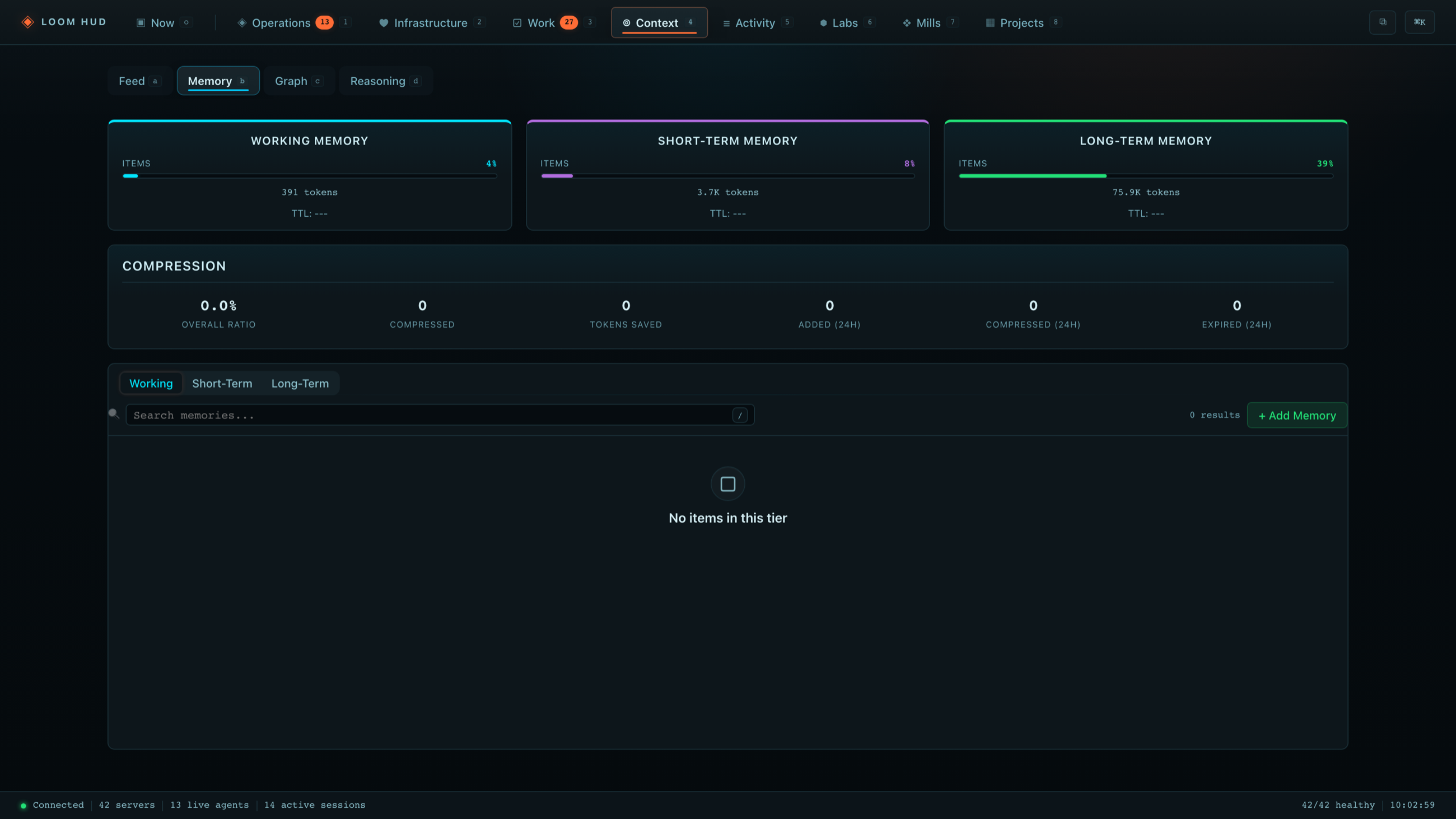
- Loom Core turns sessions, tasks, server health, and memory into an inspectable HUD instead of hidden process state.
- MentatLab gives operators a DAG-shaped mission control view for workflows that need explicit steps and approvals.
- flexinfer-site publishes the docs, playgrounds, case studies, and demos that force the contracts to stay legible outside the repo.
Publishing docs and examples gives readers another way to test the contract. Automated checks still need to connect those examples to the implementation.
How To Keep It Fast (Avoid MCP Slowness)
MCP feels slow when you design the system around micro-calls.
The fix is architectural:
- Use fewer tools that each close a meaningful loop.
- Avoid “agent asks a tool for every line it wants to change”. Let the agent edit locally and then validate with tests.
- When you do use MCP, prefer Loom-mode: a single stdio entrypoint (
loom proxy) routed throughloomd. - Bound output sizes, paginate list/search tools, and make failure states explicit.
This is why Loom’s architecture is boring on purpose: registry -> generate -> sync -> drift visible -> reload.
Historical tutorial repo: clone and try
The companion services/ai-assisted-dev-starter repo remains a small tutorial artifact for trying these patterns without committing to the full Loom stack. It is concluded rather than an actively evolving product.
- Repo:
services/ai-assisted-dev-starter - Theme: docs-to-code refactor
- Artifact: a tiny workflow interpreter CLI (
workflowctl) + tests + hooks
Two paths:
Path A: No MCP (default)
- Use
AGENTS.md+ the workflow file +make verify. - Works with any assistant.
Path B: Minimal Loom-mode MCP (optional)
- Adds
mcp-agent-context(tasks/memory) andmcp-git. - Uses a minimal
mcp/context/registry.yamland a one-command sync.
The point of Path B is not “more tools”. It’s less drift.
Anti-Patterns (Seen in the Wild)
- No tests, no gates, no decision log.
- Everything is in chat history.
- Hooks that take minutes, so everyone disables them.
- A zoo of MCP servers where every platform sees a slightly different world.
If you adopt one thing from this post, adopt the loop.
Takeaways: the HUD is the UI version of the loop
Once the repo structure is solid, the next win is observability.
Loom’s HUD is a local control plane for agents, tasks, workflows, and server health. On macOS you can optionally enable a native overlay so the system stays visible while you work.
The pattern is the same as the repo patterns above:
- make state visible
- make drift visible
- make transitions explicit
Those checks give me evidence to decide whether the next step is safe to take.
Pattern Loom extends the same control-system idea one level up: vetted work archetypes become taste-gated templates that Mills can stamp into backlog items. The repo contract, verification gates, and recorded outcome are still the mechanism underneath. See Loom Mills: From Agent Swarms to Software Production Lines.
Related posts
7 min read
Loom Mills: From Agent Swarms to Software Production Lines
The May 2026 design for Loom Mills: turn roadmap intent into scoped work, verify each change, and keep costs, failures, and operator controls visible.
Shared tags: loom-core · agents · mcp
7 min read
Loom Mode: One Proxy, One Daemon, Faster MCP
How Loom keeps MCP tooling predictable with one client entrypoint, daemon-owned process lifecycles, bounded output, and coarse-grained tools.
Shared tags: loom-core · mcp · agents
5 min read
Building Practical AI Agents
A source-backed guide to agent reliability: explicit state, bounded tools, verification gates, and visible failure.
Shared tags: agents · workflows · loom-core
Comments
Join the discussion. Be respectful.