Loom: One Registry, Many AI Coding Assistants
Published revised 7 min read
The assistants I use support Model Context Protocol (MCP), but their configuration differs:
- different config formats (JSON vs TOML),
- different config locations (repo vs
$HOME), - different secret mechanisms (env vars vs keychain),
- different lifecycle hooks and “auto-run” behaviors.
If you manage more than one assistant, the failure mode is boring and constant: config drift. Something works in one tool, breaks in another, and you spend time debugging “why does this one not see the server?” instead of shipping.
I reduced that drift with a single canonical MCP registry + multi-platform sync, implemented in services/loom-core and surfaced in services/loom (the VS Code extension).
TL;DR
- Keep a single canonical registry at
services/loom-core/mcp/context/registry.yaml;platform/gitopscarries the deployment mirror. - Generate platform configs from that registry with
loom(the CLI in loom-core), then sync them into each platform’s home config location. - Use
loom sync mirror --checkto catch GitOps mirror drift andloom sync mirror --applyto copy the canonical files into that mirror. - Use Loom’s Sync Dashboard to see drift at a glance and fix it with one click.
- The current sync manager defines nine profiles: Codex, Claude Code, Claude Desktop, Gemini, Antigravity, VS Code, Kilo Code, OpenCode, and Zed.
- The canonical workspace registry defines 56 MCP servers as of 2026-08-30. That is an inventory count, not a recommendation to expose every tool to every agent.
Why Someone Would Try Loom
You should try Loom if any of these are true:
- You bounce between assistants and you’re tired of one “not seeing” the same tools.
- You work across multiple machines or environments and want MCP to be reproducible, not artisanal.
- You have more than a handful of MCP servers and you want to manage them as inventory (with policy), not as one-off config snippets.
- You care about secrets hygiene and want config generation to use
${env:...}/${keychain:...}indirections instead of leaking tokens into dotfiles.
The workflow has four parts:
- One canonical registry
- One generator
- One sync loop
- Drift becomes visible
The sync loop gives me a repeatable way to check the setup after a registry or client change.
What you get on day one
On a first install, these are the useful checks:
loom sync statustells you which platforms are drifting.loom sync all --regenregenerates each profile using its defaults and pulls managed files back into alignment.- The Loom Sync Dashboard (extension) turns drift into a UI you can fix without memorizing paths/commands.
- You can start with “just configs” and adopt
loomd/loom-mode later. - The daemon-embedded Agent HUD gives you a command surface for agents, tasks, plans, workflows, memory, server health, Mills, Weaver, and Flightdeck state. On macOS, a CGO-enabled build can add the native overlay and
Cmd+Shift+Ltoggle. - The same system now feeds the product/docs surfaces on this site, so the story is bigger than “a VS Code helper.”
Where client configurations drift
If you have ever hand-edited client configs, you know what happens next: several sources of truth, slightly different schemas, and an inevitable mismatch.
The current destinations are concrete:
| Profile | Managed MCP destination |
|---|---|
| Codex | ~/.codex/config.toml |
| Claude Code | ~/.claude/mcp.json |
| Claude Desktop | ~/Library/Application Support/Claude/claude_desktop_config.json |
| Gemini | ~/.gemini/config.toml plus managed settings |
| Antigravity | ~/.gemini/config/mcp_config.json |
| VS Code | user mcp.json plus the workspace .vscode mirror |
| Kilo Code | ~/.config/kilo/kilo.json |
| OpenCode | ~/.config/opencode/opencode.json |
| Zed | merged into ~/.config/zed/settings.json |
Even if the server definitions are “the same,” the platform details aren’t. A few examples that show up immediately in practice:
- Codex uses TOML and generated rules/hooks alongside its MCP entry.
- VS Code and Antigravity use JSON-shaped config but not the same destination.
- Zed requires a merge into
settings.json, so a blind file copy would overwrite unrelated settings. - Some tools need different env var substitution patterns to stay secret-safe.
Loom keeps those client-specific differences in the generator so they can be reviewed and tested together.
Try the current local path
The current profiles default to Loom mode, so the honest quickstart includes the daemon:
- Start from a clean reference: make sure
services/loom-core/mcp/context/registry.yamlreflects what you want available. - Bootstrap the local binaries, managed configs, and environment checks:
cd services/loom-core
make bootstrap-local
./bin/loom start
./bin/loom sync status- If you use the Loom extension, open the Sync Dashboard and verify the enabled profiles are
synced.
That loop is the whole feature: edit registry -> sync -> verify.
For local HUD development:
cd services/loom-core
./bin/loom hud --port 3333
(Pinning a port makes it easier to bookmark and enables loom agent ... commands to talk to the HUD API consistently.)
The Core Feature: A Canonical Registry
The canonical workspace source is services/loom-core/mcp/context/registry.yaml. Loom also has explicit registry-discovery precedence for other layouts. The copy under platform/gitops/mcp/context/ is a GitOps mirror, not a second source of truth. Each server definition has:
- a platform-agnostic
commondefinition (command/args/env/timeout) - optional
targetsoverrides (codex, vscode, claude, gemini, kilocode, etc.) - an
always_allowlist (tools that are safe to auto-approve)
Here’s what a real entry looks like (trimmed for clarity):
servers:
  - name: gitlab
    categories: [devops, scm]
    common:
      command: '${repo}/services/loom-core/bin/mcp-gitlab'
      timeout: 60
      always_allow:
        - list_projects
        - get_project
        - list_merge_requests
      env:
        GITLAB_API_URL: '${env:GITLAB_API_URL:-https://gitlab.flexinfer.ai/api/v4}'
        GITLAB_PERSONAL_ACCESS_TOKEN: '${env:GITLAB_PERSONAL_ACCESS_TOKEN}'
    targets:
      codex:
        env:
          GITLAB_PERSONAL_ACCESS_TOKEN: '${keychain:GITLAB_PERSONAL_ACCESS_TOKEN}'
You can see the intent:
- Common defaults are portable.
- Platform overrides are explicit, minimal, and localized.
How It Actually Gets Used: Generate, Sync, Verify
From loom-core’s architecture perspective, the pipeline is:
- edit
registry.yaml - generate the platform artifact in a temporary directory
- copy or merge the managed artifact into its repo or home destination
- reload
loomd(if you’re using loom-mode)
The “happy path” is intentionally one command (from the loom-core repo):
cd services/loom-core
./bin/loom sync all --regen
And for quick drift checks:
cd services/loom-core
./bin/loom sync status
Under the hood, loom-core’s sync command supports:
--regento re-generate from registry before syncing--repo-onlywhen you only want to update the repo artifacts--loom-modewhen you want a single “loom proxy” entry instead of N local servers--resolve-secretswhen you need to materialize templates (use with care)
Skills are part of the same loop:
cd services/loom-core
./bin/loom sync skills all
The UI Layer: Loom Extension Sync Dashboard
The VS Code extension (currently services/loom v1.2.0) surfaces this as a first-class workflow:
- it continuously checks enabled platforms
- hashes server lists (not full configs) to avoid false positives from placeholder differences
- shows a grid of platforms with:
synced,out-of-sync,missing,error - wires “Sync” actions to
loom sync <platform> --regen
The dashboard shows drift before a failed tool call sends me searching through configuration files.
HUD + Native Overlay (macOS)
Loom also ships an Agent HUD in loom-core: a local web dashboard that talks to the running daemon and gives you real-time visibility into:
- MCP server health
- active agent sessions and tasks
- workflows and approvals
- memory tiers and recent context entries
Launch it like this:
cd services/loom-core
./bin/loom hud --port 3333
On macOS there’s an extra mode that makes the HUD worth trying even if you never open the full dashboard: a native overlay panel. It’s a borderless, edge-anchored strip that stays available while you work, with a system-wide hotkey:
- Toggle overlay:
Cmd+Shift+L - Enable overlay:
cd services/loom-core
./bin/loom hud --overlay --port 3333
You can customize the overlay’s placement and feel:
cd services/loom-core
./bin/loom hud --overlay --edge right --width 380 --opacity 0.92 --corner-radius 12 --port 3333
This is the UX version of the “ambient drift detection” idea: you don’t have to context-switch into a tool to learn what’s happening. You just glance, and keep going.
What This Replaces (In Practice)
The old workflow is “copy snippets around until it works.” The new workflow is “treat MCP like config.”
A concrete example:
- You add a server to
services/loom-core/mcp/context/registry.yaml(say,mcp-loki). - Codex immediately works because you ran
loom sync all --regen, but Gemini still has the old server list. - Loom shows Gemini as
out-of-sync(server mismatch), and you fix it with a singleSyncaction.
The important shift: you stop debugging “what is the right file path for this platform” and instead debug the registry entry (command/env/allowlist), which is the only place that should matter.
How the surface evolved
The version history through August 30, 2026:
- loom-core v0.7.0 was where multi-platform sync really landed.
- loom v0.7.0 added the first Sync Dashboard and platform views.
- loom v0.8.0 made it survivable day-to-day: drift detection, offline mode, bulk operations.
- loom v0.9.1 is where the platform list and day-to-day ergonomics started to feel complete enough to trust as a shared operational surface.
- loom v1.0.0 (2026-04) added OpenCode and Zed platform parity plus a
loom doctor-backed report surface. - loom v1.1.0 (2026-05) added a Mills orchestration view on top of the same HUD API.
- loom v1.2.0 is the current extension version. Flightdeck and Weaver surfaces now sit beside the sync and Mills views without changing the registry contract underneath.
The progression matters: sync isn’t a one-shot command, it’s an operational loop. The dashboard and drift detection are what make it stick.
Practical Workflow: Adding a Server Without Breaking Everything
Here’s the concrete loop I follow now:
- Add or edit a server in
services/loom-core/mcp/context/registry.yaml. - Run
cd services/loom-core && ./bin/loom sync all --regen(or use the extension’s “Sync All”). - Run
cd services/loom-core && ./bin/loom sync statusand fix any drift. - When the registry change belongs in GitOps, run
cd services/loom-core && ./bin/loom sync mirror --apply, then verify it with./bin/loom sync mirror --check. - If using
loomd, reload it (cd services/loom-core && ./bin/loom reload).
That’s it. No copy/paste across nine managed profiles.
Takeaways
- Central registries are only useful if they’re enforced by tooling. Loom’s value is not the YAML file, it’s the generator + sync + drift detection loop.
- Platform differences are real; model them instead of hiding them. The
targetsoverrides keep the common definition clean. - Make safety explicit.
always_allowis a policy surface: you can define what’s auto-approved versus what must be interactive. - Treat generation as a write operation. Use
loom sync ... --dry-runwhen you only want to inspect drift; a real--regenupdates managed destinations. - Keep the inventory smaller than the registry when possible. A registry can describe 56 servers while a task-specific agent sees only the few it needs.
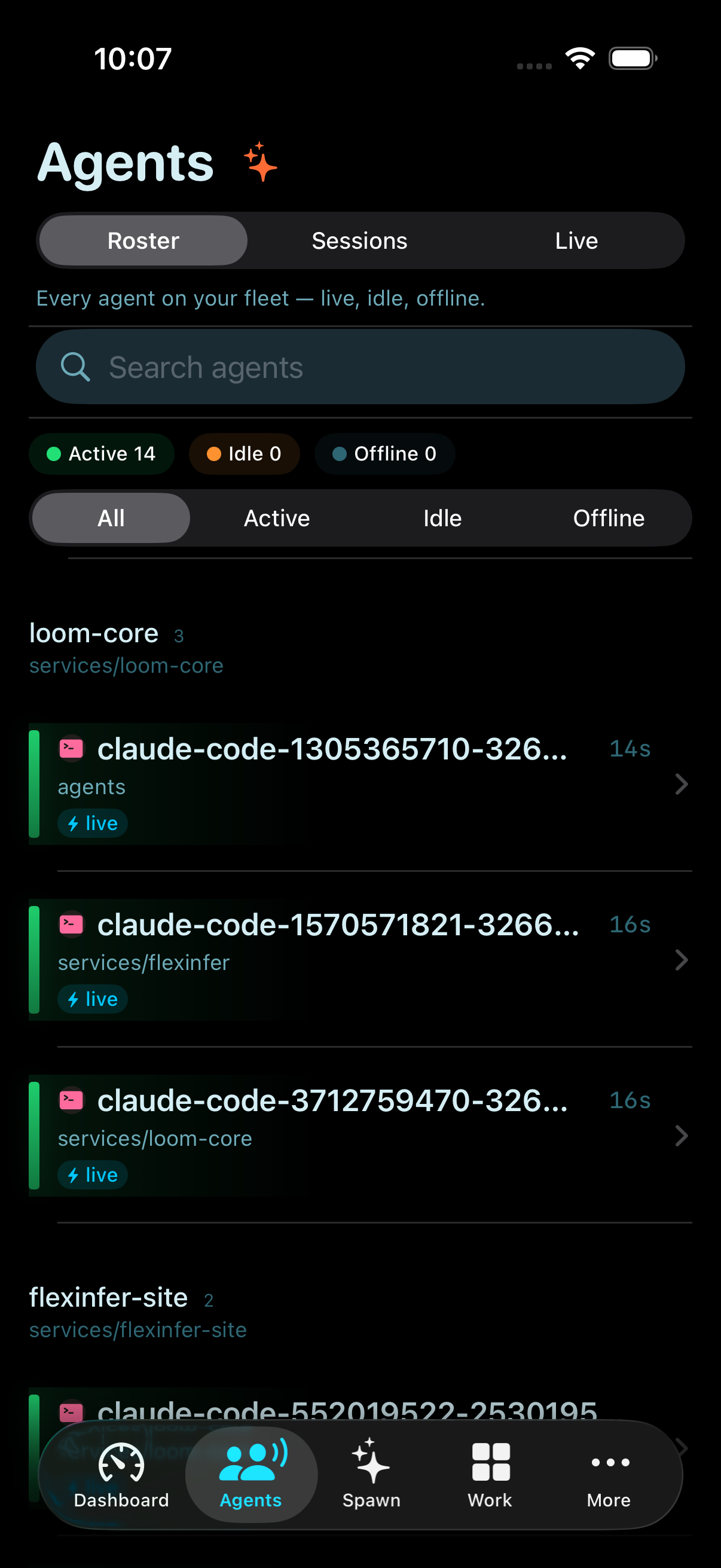
At this point, the interesting work is less “can Loom sync configs?” and more “how far can I push policy, observability, and operator UX without reintroducing drift?” That is where the HUD, overlay, mobile companion, and the broader product surfaces start to matter.
Related posts
7 min read
Loom Mills: From Agent Swarms to Software Production Lines
The May 2026 design for Loom Mills: turn roadmap intent into scoped work, verify each change, and keep costs, failures, and operator controls visible.
Shared tags: loom · loom-core · developer-tools
7 min read
Loom Mode: One Proxy, One Daemon, Faster MCP
How Loom keeps MCP tooling predictable with one client entrypoint, daemon-owned process lifecycles, bounded output, and coarse-grained tools.
Shared tags: loom · loom-core · mcp
10 min read
State of the Platform, July 2026
A July 2026 platform snapshot: multimodal inference, Mills delivery, flight recording, and the operational gaps that remained after the demos worked.
Shared tags: loom · loom-core · mcp
Comments
Join the discussion. Be respectful.