Loom Mode: One Proxy, One Daemon, Faster MCP
Published revised 7 min read
Adding Model Context Protocol (MCP) servers made my assistants more useful, but it also gave every client another set of processes and configuration to manage.
Loom Mode puts one proxy in each client and lets a shared daemon manage the servers behind it.
TL;DR
- A fast AI-assisted dev setup is not a pile of MCP servers. It is one proxy, one Go daemon, and a small set of Go-native servers behind them.
- Optimize for four things: token efficiency, latency, drift resistance, and process isolation. Everything else is a consequence.
- The proxy gives each client one entrypoint; the daemon owns server lifecycles; the registry drives nine sync profiles, including eight coding interfaces plus Claude Desktop.
- Fewer tools is a feature. A tight, well-documented surface beats a sprawling one the model has to guess its way through.
If you actually want AI-assisted dev to feel fast, reliable, and repeatable, you need to optimize for:
- token efficiency (don’t turn every keystroke into a tool call)
- latency (local stdio calls, bounded outputs, pagination)
- drift resistance (one source of truth, one sync loop)
- process isolation (avoid one tool’s runtime turning into your whole machine’s runtime)
This post covers the process model, bounded tool output, and shared state behind that setup. The registry post covers configuration and sync.
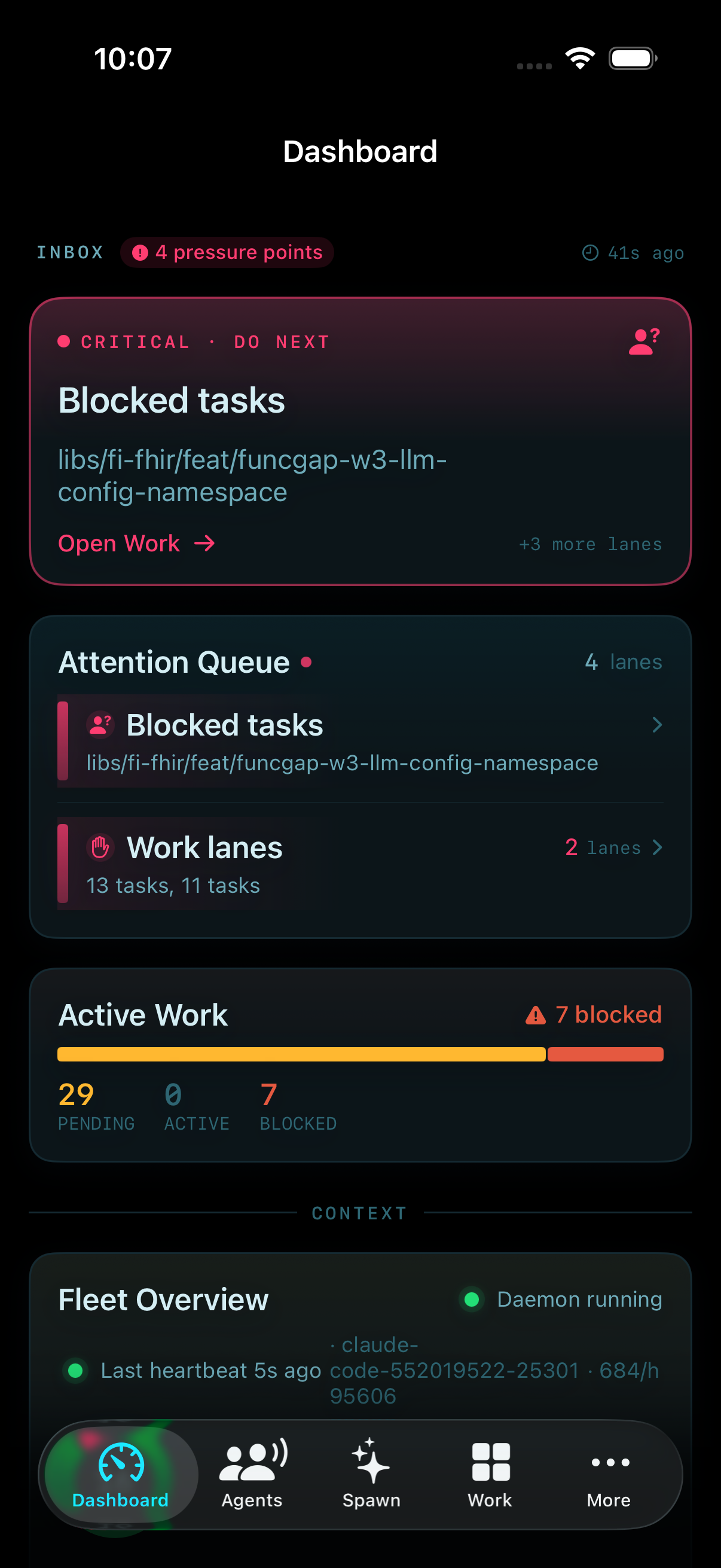
Loom is not just a CLI anymore. The current system includes a daemon-embedded HUD, the Loom 1.2.0 VS Code extension, a macOS overlay, mobile and fleet surfaces, and the Mills and Weaver operator layers. The registry/proxy boundary is still the part that keeps those additions from multiplying client configuration.
If you haven’t read the registry overview yet, start here:
The examples assume a local Loom install and a registry you can edit.
The Architecture: One Proxy, One Daemon, Many Servers
Loom’s core idea in Loom-mode:
- MCP clients talk to one entrypoint:
loom proxy(stdio) - The proxy forwards to
loomd(local daemon) loomdspawns and routes to many MCP server binaries (cmd/mcp-*), also stdio
Why this matters:
- You don’t have N client configs that must all agree.
- You don’t have N “server processes” embedded in each editor.
- You get one place to enforce routing, lifecycle, and policy.
In Loom’s docs, the dataflow looks like:
Client -> loom proxy (stdio) -> loomd -> mcp-<server> -> external APIStructured output: TOON vs JSON
When structured tool results end up in a model context, JSON punctuation can become a syntax tax.
Loom’s shared MCP library supports Token-Oriented Object Notation (TOON) alongside compact and pretty JSON. TOON is the default; LOOM_MCP_OUTPUT_FORMAT=auto compares TOON with compact JSON using an approximate bytes-per-token heuristic and chooses the smaller representation.
This is separate from how MCP clients store their MCP configuration (those vary by platform). TOON is about how you represent data inside the agent loop.
Example (same data, different token profiles):
{
  "users": [
    { "id": 1, "name": "Alice", "role": "admin" },
    { "id": 2, "name": "Bob", "role": "user" }
  ]
}
users[2]{id,name,role}:
1,Alice,admin
2,Bob,userIn practice, TOON is a good fit for:
- large uniform arrays (tables)
- “agent asks tool for 200 rows” scenarios
- audit logs you want to keep cheap but structured
It is not automatically smaller for every payload. Nested or irregular data can favor compact JSON, which is why the explicit auto mode and JSON fallback matter.
Loom’s job is to make the configuration differences boring (registry -> generate -> sync), so you can focus on the data and the loop.
Keeping client configuration separate from result formatting makes each easier to test.
TOON in the current implementation
The current implementation lives in the shared mcp-go result formatter. The relevant policy is small:
switch outputFormatFromEnv() {
case OutputFormatAuto:
	jsonCompact, err := formatJSON(v, false)
	if err != nil {
		return "", err
	}
	toon, err := formatTOON(v)
	if err != nil {
		return jsonCompact, nil
	}
	if EstimateTokensApprox(toon) <= EstimateTokensApprox(jsonCompact) {
		return toon, nil
	}
	return jsonCompact, nil
}
That is the useful contract: prefer compact structured output, preserve JSON as an escape hatch, and do not fail a tool call because its optional formatter failed.
Why Go-Native MCP Servers Are a Feature
But for the core “every day, always on” MCPs, Go has practical advantages:
- fast startup (important when a daemon restarts a failed server)
- predictable memory footprint
- easy distribution as a single static-ish binary
- straightforward concurrency without turning into event-loop archaeology
In loom-core, the common MCP servers (mcp-git, mcp-gitlab, mcp-github, mcp-k8s-ops, mcp-prometheus, etc.) are implemented as Go binaries. When you run Loom-mode, the daemon owns their lifecycle.
This keeps your editor from becoming the long-running process manager.
The Performance Rule: Fewer, Higher-Leverage Tools
The fastest MCP call is the one you didn’t make.
If you want token-efficient and fast workflows:
- Use MCP for coarse-grained actions (query a system, fetch logs, list PRs, render a report).
- Don’t use MCP as a per-line code editor.
- Prefer “batch” tools that do one meaningful unit of work.
In practice, I can do an enormous amount with a small set:
git(status/diff/log/show)gitlaborgithub(MR/PR lifecycle)k8s-ops(logs/rollout/describe)loki/prometheus(debugging)agent-context(sessions/tasks/decisions) when I’m doing multi-step work
That list is intentionally short.
Loom-mode quickstart
For a first local install, the current README starts with:
make bootstrap-local
./bin/loom start
./bin/loom status
The equivalent manual path is:
make build
./bin/loom sync all --regen --loom-mode
./bin/loomd
Then for drift checks:
./bin/loom sync statusThe point of Loom-mode is that every client sees the same proxy entry, and the daemon decides what exists behind it.
Multi-Agent Without Bloat: Where the State Lives
Multi-agent setups get messy when:
- every agent spawns its own tool zoo
- memory lives in chat logs
- tool state is duplicated per client
In Loom-mode:
- tools run as daemon-managed processes
- policy lives in
registry.yaml - multi-agent orchestration is a layer above that
This is where mcp-agent-context fits.
Agent Context: Memory and Tasks (When You Actually Need It)
I treat mcp-agent-context like a “workbench” for long-running tasks:
- sessions provide continuity
- tasks are an explicit queue
- decisions/findings are recorded with titles and tags
A minimal loop is:
agent_session_start(namespace="project/feature-x")
agent_recall(query="feature-x", scope="all")
agent_task_add(tasks=[{title:"...", priority:"high"}])
agent_context_add(entries=[{entry_type:"decision", title:"...", content:"..."}])
agent_session_end(summarize=true)
Agent-context still needs its storage and embedding configuration for semantic recall. The current write path is more resilient than the original version, though: if the primary embedder fails, entries and tasks persist with a deterministic fallback vector and can be backfilled later.
That makes embeddings enrichment instead of a reason to lose the work record. If you do not need semantic recall, skip the subsystem entirely. Do not pay for machinery you are not using.
Secrets in shell and GUI environments
One of the most annoying failure modes in “real” MCP setups is when tools work in your terminal but fail in a GUI-launched context (launchd, VS Code, desktop clients) because your shell exports are missing.
In loom-core, there are two practical countermeasures:
loom checkcan warn when likely-required secrets referenced by the registry are missing for the default profile.- for secret-looking
${env:...}keys (suffixes like_TOKEN,_API_KEY, etc.), Loom can fall back to the secrets manager when the env var is unset.
Checking both the shell and GUI environment makes missing credentials easier to diagnose.
Token Efficiency: Design Your Tool Calls Like You Design APIs
Token efficiency is mostly about interface design.
Rules that have held up for me:
- A tool call should return exactly what you need to decide the next step.
- Every list/search tool should have pagination.
- Every response should have size caps.
- Prefer structured summaries over raw dumps.
Pagination: Make Lists Cheap
If a tool can return 10,000 rows, it will. Eventually.
The fix is simple and boring:
- list/search tools accept
per_pageandpage - responses include pagination metadata (next page pointers or counts)
This is not an “AI feature.” It’s an operations feature. It prevents timeouts and keeps tool calls predictable.
In loom-core, the pattern is intentionally boring and standardized. There’s a shared validator that clamps and normalizes page / per_page:
v := validate.NewArgs(args)
p := v.GetPagination() // default per_page=30, max per_page=100, default page=1
page := p.Page
perPage := p.PerPage
And then servers return pagination metadata alongside results (example: mcp-gitlab list merge requests):
path := fmt.Sprintf(
  "/projects/%s/merge_requests?state=%s&per_page=%d&page=%d",
  encodeProject(project), state, perPage, page,
)
result, meta, err := g.requestListWithMeta(ctx, path)
return mcp.JSONResult(map[string]any{
  "merge_requests": result,
  "count":          len(result),
  "pagination":     meta,
})
Response caps: bound the payload
Large payloads are the silent killer of “fast agent workflows.”
Some loom-core MCPs enforce maximum response sizes for this reason. When a response would be too large, the tool should fail with a useful error message and tell you how to narrow the query (time range, selectors, page size).
Loom-core MCPs follow these patterns (pagination metadata, response caps, etc.) because otherwise your “agent” becomes a log shipper.
The UX Layer: HUD + Native Overlay
Once you have a daemon/proxy architecture, you get a new UX opportunity: always-visible state.
Loom’s daemon-embedded HUD is a dashboard for:
- server health
- active sessions/tasks
- workflows and approvals
On macOS, a CGO-enabled build can also expose the native overlay. It keeps agent state visible without a full dashboard context switch and uses Cmd+Shift+L as the global toggle.
That’s the UI version of the same design principle:
- make state visible
- make drift visible
- make transitions explicit
Coordinator (optional): FlexInfer-backed agent-context operations
Loom also has an optional coordinator layer (started by the HUD) that can use FlexInfer (an OpenAI-compatible proxy) to do things like:
- session summarization on
session-end - on-demand summarization and compression
- workflow planning from a natural language goal
It’s explicitly optional. If you don’t configure a FlexInfer URL, the HUD works exactly as before.
Example:
loom hud --port 3333 \
  --flexinfer-url http://127.0.0.1:8080 \
  --flexinfer-key "$FLEXINFER_API_KEY" \
  --coordinator-model qwen3-8b
The Anti-Pattern This Avoids
The failure mode I’m trying to avoid is:
- each client has its own config
- each agent has its own tools
- tool runtimes pile up
- latency and memory use scale with the number of assistants
Loom-mode is a direct countermeasure:
- one proxy entrypoint
- one daemon that owns process lifecycle
- Go-native servers where it matters
Takeaways
These choices reduce duplicated process management and make failures easier to locate.
Start with one process owner, bounded outputs, and a small tool set. Add coordination features when the workload needs them.
- Put client variation at the config boundary, not inside every server.
- Prefer one daemon-owned process graph over a server zoo per editor.
- Measure output representations; do not assume a compact format wins on every shape.
- Make degraded state visible, especially for secrets, embeddings, and daemon health.
Related posts
7 min read
Loom Mills: From Agent Swarms to Software Production Lines
The May 2026 design for Loom Mills: turn roadmap intent into scoped work, verify each change, and keep costs, failures, and operator controls visible.
Shared tags: loom · loom-core · agents
7 min read
Loom: One Registry, Many AI Coding Assistants
How Loom generates and checks MCP configuration across nine client profiles from one canonical registry.
Shared tags: mcp · loom · loom-core
6 min read
Repo Design Patterns for AI-Assisted Dev: Control Loops, Hooks, and Memory
Treat the repository as a control system: versioned instructions, explicit workflows, fast hooks, durable context, and visible failure states.
Shared tags: agents · loom-core · mcp
Comments
Join the discussion. Be respectful.